Screen applicants with a short AI interview.
Send each applicant a private link by e-mail. They have a twelve-minute spoken interview about the role, with the camera on and the screen shared. You read ranked results, compare finalists and decide yourself.
Free while we launch. A person decides: scores are hints. Check the rules where you hire.
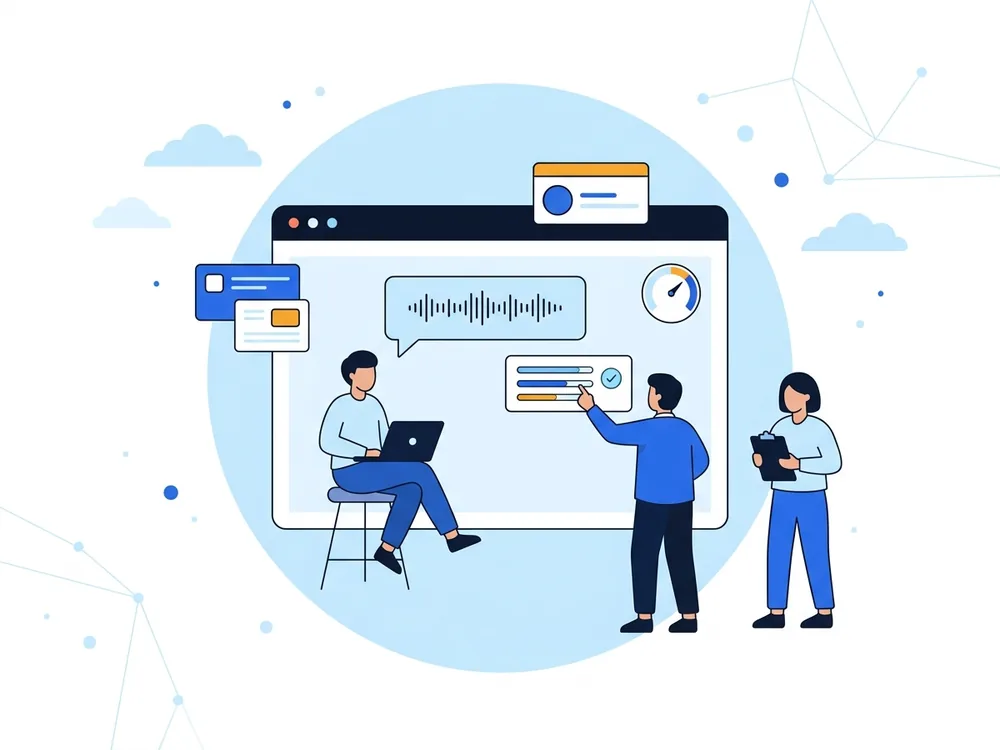
From a list of applicants to a shortlist
- 1
Sign up as a hiring manager
Create a free account and choose "Hiring manager". It is an account of its own, with its own console, separate from interview practice and from teaching.
- 2
Create a round
One round is one role, for example a Software Engineering Intern: the organisation, a description, key responsibilities and requirements. The interviewer works from your words.
- 3
Invite people by e-mail
Paste names and e-mail addresses or load a CSV file. Each person gets a private link that works for 14 days, with no account and no CV. You confirm you may contact them.
- 4
Applicants take the interview
A spoken conversation of about twelve minutes, in English, with the camera on and the whole screen shared. It follows what they say and the role you described.
- 5
Read, compare and decide
See scores, the summary and the conversation, and how the interview was taken. Use the pipeline board, compare two or three people, write to them together, and decide.
What you get
A private link for each person
Applicants need no account. The e-mail names you and your organisation, and their replies come to you.
The same first conversation for everyone
Every applicant is asked about the same role in the same way, at a time that suits them.

Ranked results you can compare
Sort by interview score, open the conversation, and compare up to three people side by side.
Integrity hints, not verdicts
You see whether the applicant left the interview window, pasted text or stopped sharing, with small screen pictures from just after they left. They are reasons to ask a question, not proof of anything.
A pipeline board
Invited, interviewed, shortlisted, not taken forward. Move people between columns, send reminders and write to many people at once with their names filled in.
Little data, kept briefly
No video or audio is recorded. The words are kept as text, screen pictures for 30 days and applicants' data for 180 days, then deleted. You can delete a person or a round at any time.
What it is, and what it is not
- A person decides. The AI conducts the interview and writes a summary and a score; both are hints to help you read, not a verdict on a person.
- It is not a lie detector. Leaving the window can have innocent causes, such as a notification.
- Applicants need a laptop or desktop computer with a camera and a microphone, because they share their screen; a phone cannot. The interviews are in English.
- Offer another way to people who cannot take an AI interview, and tell applicants beforehand what happens and who will read the result.
- Rules on AI and automated decisions in hiring differ by country. Check what applies where you hire. This page is not legal advice.
- A hiring account is separate from the accounts of job seekers and teachers. Daily limits apply to invitations, and you confirm each time that you may contact the people you invite.
AI interview screening questions
Who can use AI interview screening?
Anyone who hires, for example a company with an internship to fill. Sign up and choose "Hiring manager"; you then have a hiring console of your own. Daily limits apply to invitations, and you confirm each time that you may contact the people you invite.
Does the AI decide who is hired?
No. The AI conducts a short interview and writes a summary and a score; a person at your organisation reads them and decides. Scores are hints, and the product is built so that people stay in charge.
What do applicants need?
A laptop or desktop computer with Chrome or Edge, a camera, a microphone and a quiet place. They open a private link from your e-mail, with no account and no CV. The interview takes about twelve minutes and is in English.
Why are the camera and the screen shared?
To make the process fair for everyone: it shows the applicant is present and answering without help. Applicants are told before they start. We note how often they leave the interview window and whether they paste text, and we keep small pictures of the screen taken just after they leave. These are hints for you to look at, not proof of anything.
Is the video recorded?
No video or audio is recorded. The words of the conversation are kept as text, together with the assessment and the integrity hints, and are shown only to you. Screen pictures are deleted after 30 days and applicants' data after 180 days.
Can I invite anyone?
Only people who applied to you or agreed to be contacted about the role. You confirm this each time you send invitations, and each e-mail names you and your organisation and sends replies to you.
What if an applicant cannot take an AI interview?
Offer another way. Some people have no camera or quiet room, or find the format hard. You write to them from the same console and can decide how to meet them.
Is this legal where I hire?
Rules on AI and automated decisions in hiring differ by country, and some are strict. HireFlow Agent keeps a person in the decision, tells applicants what happens and keeps little data, but it is your responsibility to check what applies to you. This page is not legal advice.
Read more: Screening internship applicants · A fair-process checklist · Responsible AI · Security
Fill your next internship faster
Create a hiring account, describe the role and invite your first applicants in a few minutes.
Create a hiring account