Turn your own slides into a class quiz game.
Upload the slides, book pages or notes you teach from. The AI writes multiple-choice questions from that material, you check and edit them, set the marks and the time, and share one link. Students play on their phones, with no accounts.
Free while we launch. The AI can make mistakes, so you read every question before students see it.

From slides to a quiz in a few minutes
- 1
Upload your material
PowerPoint slides, a Word file, plain text, or the pages you choose from a PDF. Add a topic, the number of questions (up to 30), the level and the language.
- 2
The AI writes the questions
Each has four answers, one right, a short reason and a note of where in your material it comes from, so you can check it quickly.
- 3
You check, edit and set the marks
Change anything. Give each question 1 to 10 marks and give a calculation more time. Choose the 3D game or a plain quiz for the whole class.
- 4
Share a link or a QR code
Students open it on a phone or computer, enter a name and a roll number and play. Each sees the questions in their own order. No accounts.
- 5
Read the results
See every student's marks and time, who stopped early, and which questions were hardest, with the commonest wrong answer, so you know what to explain again.
Made for real classrooms
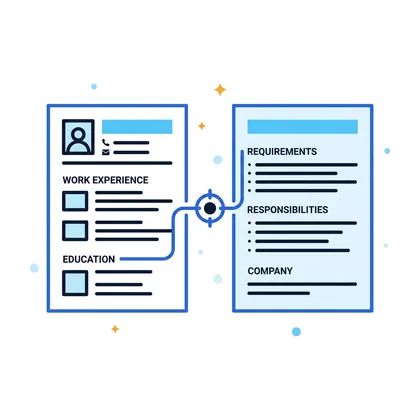
From your material, not a generic bank
Every teacher teaches from different slides and books. Questions come from what you actually taught, with a source note for each.
Marks like an exam
A recall question can be worth one mark and a harder one more. Results show marks, not just a count of right answers.

More time where it is needed
Give a calculation its own, longer time while the rest of the quiz keeps a quick pace.
Works on phones and computers
Students open a link in a web browser. The game is readable in light and dark themes, and a plain mode is there for slow devices.

No student accounts
A name and a roll number are enough, and the roll number is required so you can match results to students.
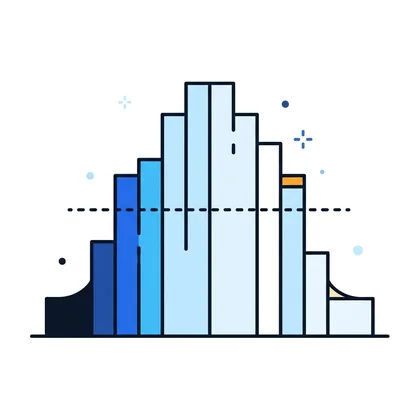
See what the class found hard
The questions most students missed, with the commonest wrong answer, tell you what to teach again.
What to know before you use it
- The AI can write a wrong or weak question. You read every question before publishing; the quiz stays a draft until you do.
- Questions are multiple-choice with four answers. It is not a replacement for written work or an oral assessment.
- It is a class activity, not an invigilated exam: there is no camera or screen monitoring. Each student has their own question order and answers are checked on the server, but a student can still ask a neighbour.
- The 3D game needs a browser that supports WebGL. If a class has old devices, choose the simple mode.
- Use material you have the right to use. Files are read in memory; the text is kept with the quiz so you can add questions later and is deleted with the quiz.
Quiz game questions
How does the AI write questions from my slides?
You upload your PowerPoint slides, a Word file, plain text, or chosen pages of a PDF. The AI reads that material and writes multiple-choice questions that it answers, each with four options, one right answer, a short reason and a note of where in your material it came from. You read and edit every question before students see it.
Can the AI make mistakes?
Yes. A generated question can be wrong, too easy or badly worded. That is why the quiz stays a draft until you publish it, each question shows its source, and you can change or delete anything. Always read the questions first.
Do students need an account?
No. Students open your link or scan the QR code, enter their name and roll number and play in a web browser on a phone or a computer. Only you can see their results.
Is it a game or a plain quiz?
You choose, for the whole class. The game mode is a short 3D run in which a robot heads for one of four doors that stand for the answers. The simple mode shows plain questions. Both mark the same way.
Can I give harder questions more marks and more time?
Yes. Each question can carry 1 to 10 marks, and a question that needs a calculation can have its own, longer time.
Can students copy from each other?
Each student gets the questions in their own random order and the right answers are checked on the server, not in the student's browser, which makes copying less useful. It is a classroom quiz, not an invigilated exam, so supervise it as you would a test if the marks matter.
Is the quiz game free?
It is free while HireFlow Agent is launching. You need a free teacher account.
Read more: How to turn lecture slides into a quiz · Writing good multiple-choice questions · Marking a quiz fairly · For teachers
Try it with your next lecture
Create a free teacher account, upload a lecture and see the first draft of questions in a minute or two.
Create a teacher account